Advertisement

Showing posts with label Apple Inc.. Show all posts

Friday, June 17, 2011

What Does The New iPad 2 Have?

When the first iPad hit the scene, it was an instant success. Being able to hold the power of an entire computer in the palm of your hand changed business, leisure and communication forever. Now, apple has released a new version. How can they improve on the original? You might be wondering, "What does the new iPad 2 have?"

The Basics
Let's start with the most basic (but, nonetheless important) differences between the two devices. Physically, the new iPad 2 weighs in at only 1.3 pounds, making it 15% lighter than its predecessor. It is also about 33% thinner - and of a physical change to make a completely noticeable difference in user experience between the two. The battery, which can be charged via USB or the included adapter, lasts up to 10 hours, even when you're surfing the web, video chatting or playing games on the brightly backlit screen. Plus, the battery of the iPad 2 charges faster than the original, even though its 59% smaller.
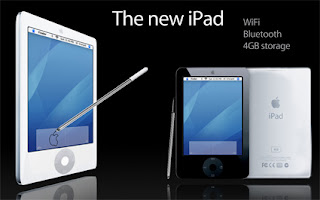
What Does The New iPad 2 Have?(iPad 2 review)


The Hardware
Even though the physical differences are interesting, when you ask 'What does the new iPad 2 have?' you really want to know 'What kind of cool stuff can it do?' The new iPad 2 doesn't let you down with new hardware and includes a foward-facing camera allowing you to chat face to face with other iPads and supported devices plus a rear-facing camera that can also be used. Both cameras are able to take video and still pictures that can be morphed and changed using the included software.
There's also a 3-axis gyroscope, 3-axis accelerometer and a digital compass housed inside the sleek casing so the device reacts quickly and accurately to tilting and shaking - making it the perfect controller for tons of games and apps.

What Does The New iPad 2 Have?(iPad 2 review) 
The Speed
Here is where the new iPad 2 really takes off. It's powered by a dual core Apple A5 processor, resulting in processing speeds twice as fast as the original iPad and graphics processing power of up to nine times that of the original. Translation? The iPad 2 has some serious 'go power', click the button and apps, games or anything else will load instantaneously.
The iPad 2 is able to surf the internet with blazing speed. It runs off of a Wi-Fi connection with the option to upgrade to a 3G connection so you can view just about any web content with incredible speed anywhere. You won't have to sit and wait for your Facebook games to load!
We can't forget about all of the optional accessories either. The new smart cover was made exclusively for the iPad 2. The incredibly thin cover attaches to the device magnetically and can also work as a tilt stand. Plus, the microfiber lining inside the cover cleans your screen every time you close it. There are also accessories that can connect the the devices video output to a television, connect a keyboard or control the device with a remote.
So, the next time one of your friends asks "What does the new iPad 2 have?" You'll know just what to say - everything!
JAMES BURCHILL shows individuals and companies how to profit from the innovative use of Internet technologies, strategic content and social media marketing. James' creative solutions are the select choice for those seeking an advantage, and Jim's valuable money making, marketing, technology and business advice is published regularly on his website. You can find out more at http://www.JamesBurchill.com/about
Article Source: http://EzineArticles.com/?expert=James_Burchill

Article Source: http://EzineArticles.com/6353376

Monday, February 7, 2011

Mobile Cellphone Review : Droid X Vs iPhone 4

Motorola's newest Android phone, the Droid X burst onto scene with its impressive range of features. The battle between the Droid X vs iPhone 4 is on. But have they done enough to conquer Apple's iPhone 4? Read on to find out.
The Droid X boasts a large 4.3 inch high res display which is one of its most striking features whilst the iPhone has a smaller 3.5 inch display but has a higher resolution screen due to its Retina Display. In terms of overall picture quality, the iPhone 4 wins here although some people may prefer the extra 1.2 inches in screen size in sacrifice of the better quality image.
The Droid X feature's an 8 megapixel camera with dual LED flash while the iPhone 4 features a 5 megapixel camera with LED flash. The iPhone has a second front facing camera which enables you to do video chat opposed to the Droid X which has only 1 camera. Both screens feature a touch screen which allows you to use an on screen keyboard.
In terms of image sharpness in still shots, the Droid X does fair slightly better but despite the extra 3 mega pixels on the Droid X, for overall image quality and the benefit of having a 2nd camera for video calls, the iPhone 4 is superior in this area.
The sound quality from both phones during calls is crystal clear. Although the iPhone 4's audio sounds slightly more full and sharp. Both phones feature noise cancellation technology which delivers a noticeable improvement by eliminating background noise in calls so your voice can be heard clearly.
Mobile Cellphone Review : Droid X Vs iPhone 4

For connectivity features, both phones are similar although the Droid X is the winner here. They both feature Wi-Fi, Bluetooth and GPS. The advantage the Droid X has here is that it can re-broadcast wireless signals and act as a mobile hotspot which enable to use other Wi-Fi devices with your 3G connection. The Droid X also features a HDMI out port which enables you to connect it to a TV, whilst the iPhone 4 is limited to AV cable connectivity.
The Droid X comes with 8GB of storage on board; in addition to this it also includes a 16GB micro SD memory card to increase the storage to 24GB. The Droid X can be expanded to a maximum of 40GB with a 32MB memory card.
The iPhone 4 comes with 16GB on board storage but cannot be extended like the Droid X can. However, there is a more expensive iPhone 4 model which is supplied with 32GB of storage. In comparison of the storage at each phone's base level price, the Droid X comes out on top here.
Overall, the iPhone 4 edges it. Both these Smartphone's have excellent displays and come feature packed. Certain aspects such as storage and display size/quality come down to personal preference. The iPhone 4's vast selection of apps, smooth and intuitive OS, contemporary sleek design and excellent multimedia performance really keeps it ahead of the chasing pack.
CLICK HERE to get your FREE Apple iPhone 4G for testing it out! Become a tester today athttp://www.hotoffers1.info

Friday, January 28, 2011

iPhone 4 Cases - Types Of Cases And Why We Use Them

There are many different types of the iPhone 4 cases. For example, some of these cases can be worn around your belt. This makes retrieving your iPhone extremely easy given the fact that the case itself is located within easy reach. Needless to say, there are many people who find in this particular location to be especially convenient.
Another very popular type of iPhone 4 case fits conveniently in a purse or pocket. Some people feel a little bit funny about having their iPhone dangling from the belt. Therefore, these individuals will oftentimes choose instead to place their iPhone into a pocket or purse which still allows the device to be easily retrieved when needed. As you can imagine, there are many people who don't necessarily like to go on subways or to travel in busy areas with their iPhone exposed to the world. Therefore, this particular type of case is extremely useful.
iPhone 4 Cases - Types Of Cases And Why We Use Them

iPhone 4 Cases - Types Of Cases And Why We Use Them

This all raises the question of why so many people choose to use cases for iPhone 4. In other words, is there a particular reason why the device isn't simply put as is into a cluttered purse or jammed into a pocket full of loose change or keys. This is a really good question. One simple explanation is the fact that many people truly value their iPhone and do not want it to get scratched up or otherwise damaged as a result of traditional wear and tear which would likely cause the device to not last as long as the potentially need to be repaired more frequently.
From a pricing standpoint, iPhone 4 cases are relatively affordable when you consider the fact that they are protecting an extremely valuable investment that you have made. When you look at it from this perspective, it is easy to see why so many people truly enjoys shopping around for them.
You can find a large selection of iPhone 4 Cases that will not only increase the beauty and style of your device but protect it from damage. Visit Cases for iPhone for the latest collection and styles.

Wednesday, January 26, 2011

How to Set Up Your New Apple iPad

With the holiday season starting in just a few weeks, there is already a big holiday buzz about the Apple iPad. The iPad is bound to be one of the most popular holiday gifts this season. Whether you are looking for an electronic book reader, the latest apps, a portable media player, or just a fun new gadget, the iPad will be making its debut in many households this December.
Now that you have gone through your ceremonial "unboxing", it is time to use iPad. If you aren't familiar with Apple iPods, iPhones, or most technologies, this could be a very frustrating task. Fear not as I am here to help show you how to set up your Apple iPad and jump right in on some Apple app fun!
The first thing you want to do after your iPad unboxing is to connect your new baby directly to your computer with the USB cable. Open your iTunes software once you are connected to the computer. If you don't have iTunes, you will want to download it from Apple's website before you connect your iPad. iTunes is free fairly easy to set up.
Once your iPad is connected to your iTunes you will be asked to register. This may be where you experience your first hiccup in the process. If the iPad is not connected properly it is likely your version of iTunes is out of date. Just go ahead and update your iTunes and you should be fine upon restart.
You will be asked to register your iPad once iTunes recognizes it. Make sure you register because if something goes wrong with your iPad, you may be delayed in receiving a remedy from Apple if it isn't registered. So go ahead and register your iPad.
Next you will be asked to restore your iPad to its original state or set up your iPad as new. Obviously this is a brand new iPad so you want to choose the option which lets you "Set up a new iPad." Keep in mind if you do want to restore the iPad it could take quite awhile. So in the future if you do have to do a restore, make sure you set up your restore at a time where you don't need immediate access to your iPad.
The next step will be to sync your media. You will be asked to set up iTunes so it automatically syncs. I choose not to do this with any of my Apple devices. If there is one fault with the iPad it is that the iPad apps are huge and you will fill up your iPad fast. So choose carefully when it comes to syncing your media. If you have a ton of movies in your iTunes, you may want to only sync the movies or videos that you intend to watch right away. Otherwise you are going to fill up your iPad quick with a bunch of files you won't be using in the immediate future. My recommendation is to sync your media manually so you can pick and choose what you want on your iPad.
Email set up is one of the easiest things to set up on the iPad. It is as simple as selecting your email program, entering your login information, and then you are good to go.
I would also recommend taking some time and searching the Internet for Apple iPad tricks and tips. There are a ton of really cool things that some iPad users have done with the device. There are things you would never dream of that some people have figured out and posted step by step tutorials online for new iPad owners like you.
Now you are set up to receive email, download apps, and watch your favorite media on your new toy. Sit back, relax, and enjoy the wonderful world of this amazing piece of technology. It will change your life and before you know it, it will be time to make a race to the store for Apple's next version of the iPad.
Eric Gargiulo is the webmaster and head blogger of http://WearableIpad.com Visit Wearable iPad for iPad blogs, tips, and tricks. Visit http://SEOProfessors.com to inquire about Eric's SEO services.

Apple Mac Mini Review For the Upgradable Mac Model

This Apple Mac Mini review aims to provide information on Apple and its new computer inventions. The Apple Mini is a small computer which performs multi-tasking very efficiently. It is also an energy saver.
Mac Mini has an elegant modern look and runs on Apple's OS called X-native. In addition, it has 1GB DDR2 (667MHZ SDRAM), a share 64MB Intel GMA which has 950 integrated chip for graphics and 120GB Hitachi hard-drive. Mac Mini has a high velocity system and it is a good PC for a user who has limited needs in terms of gaming and video watching. Apple is contemplating the release of a new operating system for its Mac Mini customers and this operating system is expected to be faster and more reliable than Windows. The only problem is that customers will have to pay a little more to get the OS installed in their Mac computers in case they buy or refurbish their models.
The Mini desktop computers have a good design and are very easy to operate. The CPU is small in size but you will need to buy the mouse and keyboard separately because Apple only produces the Mac Mini CPUs. Should you need to upgrade, the Mac Mini is highly upgradable and can also be set up side-by-side among other computers. The only disadvantage of this computer is that it does not have an SD-Card reader. Its other strong points include its small size which makes it ideal for the person who has limited space in the office or at home.
Apple Mac Mini Review For the Upgradable Mac Model

This model is fairly expensive when compared to other desktop computers such as HP or Dell desktops but you do not have to pay the full price. Apple offers discounts on the Mac Mini and its other products to people who have Apple discount coupons. These coupons are available online and you can get yours instantly to enable you obtain a bargain when buying.
For a proper understanding of the qualities of this Mini computer, it is recommended that the person intending to purchase reads as many reviews as possible. These reviews are the opinions of computer gurus and users and are usually loaded with useful and unbiased info which will help the buyer make an informed decision. Issues like the performance, durability, maintenance costs and price comparison of various computer models need to be taken into account before committing your finances.
As this Apple Mac Mini review has shown, this product from Apple is reliable, space-saving and ultimately good value for money.
About the author:
Nadav Snir operates a website which includes coupons and discounts to the best electronics stores on the web. To get those discounts, visit: http://Great-Info-Products.com/Electronics/index.html

Monday, January 24, 2011

Google Phone Versus iPhone 4G

Background
There has been a lot of news circulating about the possibility of a handset designed and built by Google and running their Android software.
But, what to believe? Would Google release a phone to rival that of their customers (Motorola, HTC). Also, if released will it be the phone to finally knock the iPhone off its pedestal?
Current state of the handset market
It's all go at the moment with Apple expected to set a definite release date for their iPhone 4G on Monday June 7th and the Android increasing in popularity on a daily basis. A lot of mobile phone customers are waiting to upgrade or buy new handsets but are unsure what platform to commit to.
The Google Android Operating System
When Google bought over Android Inc back in 2005, they acquired a company who specialised in mobile phone software and operating systems.
Now in 2010, Android has been released on numerous devices, notably the most recent HTC handsets.
Google Phone Versus iPhone 4G

Google Phone Versus iPhone 4G

The iPhone 4G
Almost everyone reading this will have seen the leaked footage of the iPhone 4G on the internet and Apple's scurried attempts to maintain its secrecy. Rumours are flying around on the new features (HD video streaming and recording, TV, ultra fast internet connection etc) and we are expecting Apple's official release on Monday June 7th.
The Big Question
So do you join the new generation of Android users or wait for Apple's much anticipated iPhone 4G?
In terms of functionality they are very similar but where Apple is largely in favour of HTML5, Android offers easier compatibility for developers through Flash, which Apple is slowly trying to edge out of its products.
Apple has an established back catalogue of apps and rarely lets you down with its updates. However, Android is an exciting new platform and is apparently converting 10,000+users daily.
Mr Jobs, the ball is in your court, let's hope this update is as good as all of us in the mobile phone industry are anticipating.
Hello! My name is Leif Cameo and I am a writer for http://www.mobiles-uk.net. My interests include new website ideas, SEO, sports betting, domaining and travelling. Bit of a mixed bag then...:-)

The Blackberry Storm Verses the Apple iPhone

The Blackberry Storm, the new smartphone star of the Verizon Wireless world, has been compared to the Apple iPhone. In fact, many have decided that the Storm, created by Research in Motion, is the first true challenger to the iPhone. But what exactly can the Blackberry Storm do, and is it truly worth the price? Well, here are just a few of the things that make many choose the Blackberry Storm over Apple's iPhone.
o It's a Blackberry. The name itself has become known as the standard in smartphones. More than that, however, the Storm features tried and true Blackberry features. If you've used a Blackberry before, you'll be able to simply pick up the Storm and go since the operating system is organized much like that on previous Blackberry models. There's no huge learning curve like there is with the iPhone.
The Blackberry Storm Verses the Apple iPhone

o A touch screen. The Blackberry Storm is RIM's first touch screen smartphone, and its operating system looks very similar to the iPhone's. To navigate through the various programs and applications, all you need to do is touch the correct icon with the stylus.
o The price. It's no secret that the iPhone is expensive. But Verizon's Storm is much more affordable. If you have a contract with them already, you'll pay less than $200 for your Storm. If you're running your own business and want to upgrade, you get even more of a discount-it's only around $100. There are many other, less advanced cell phones that sell for more than that.
In addition to these three reasons, the Blackberry Storm has a number of other features that make it the phone of choice for many. They include the following:
o Music and video. The Storm can play MPEG4s, WMVs, and a variety of audio files. Instead of carrying around your phone and your MP3 player, you'll only need to make room for one device in your purse or pocket. The Storm has plenty of storage space, too (1 GB), so you don't need to worry about running out of room.

The Blackberry Storm Verses the Apple iPhone


o A long battery life. You can take for up to five and a half hours with the Storm before it needs a recharge, and it has a 15 hour standby battery life.
o A camera. Every phone seems to have an integrated camera nowadays, and the Storm is no exception. The Storm has a 3.2 megapixel camera that takes both still images and records video.
o A built-in GPS. You won't get lost with your Storm. It has a built-in GPS device and access to Blackberry Maps, an application that can tell you exactly where you are and give you directions to where you want to be.
These reasons and features alone are enough to make the Blackberry Storm stand out in its field, but they're only the tip of the iceberg. If you're looking for a great smartphone without the price of the iPhone, you may find the Blackberry Storm is exactly what you want.
Michael is a technology author for EverythingBerry where he is responsible for covering news surrounding RIM's latest smartphones. Michael also enjoys writing reviews on accessories including BlackBerry Storm cases and BlackBerry Bold cases. You can often find him taking part in BlackBerry forums and other mobile technology related discussions.

Monday, January 17, 2011

Top 10 Used iPhone Buying Tips - We Cover 16g, 8gb and 4gb Used iPhones

Used iPhone Tip #1: Seek Out Refund Options
Long before you put your money into a used iPhone for sale; make certain the provider of the Phone has a decent return policy, and one that preferably supplies you with a cash back option. Upon the receipt of the used iPhone, inspect the item carefully for exterior damage and interior water damage, and then test the item to make sure it works. If it fails to work, make sure you follow the guidelines set in the used iPhone return policy carefully; some providers of used Apple iPhone 4g, 8gb, and 16gb products place a strict time limit on the time that the consumer has to return the item for cash back or exchange.

Tip #2: Be Selective About Your Used iPhone Purchase
If this is your very first time investing in an iPhone, familiarize yourself with the various features that accompany the iPhone; this way, when you see all the offers out there, you will be able to know precisely what it is you are getting for your money. If you are not new to the iPhone buying experience and you are interested in upgrading your old Apple iPhone 4gb device of any other iPhone for something with more features and options, again familiarity with Apple iPhone offerings is needed. When a consumer knows what is currently available on the market, they are in a better position when it comes time to make their buying decisions.

Top 10 Used iPhone Buying Tips - We Cover 16g, 8gb and 4gb Used iPhones

Tip #3: Buy a Used iPhone with the Appropriate Carrier
Not all iPhones work with every single carrier and this is probably one of the biggest reasons for having to return these phones back to the sellers. The buyer of a used iPhone must seek out a quality phone which is completely compatible with the consumer's preferred cell phone provider.

Tip #4: Verify FCC Compliancy of Used iPhones Since the year 2005
The Federal Communication Commission has implemented a regulation whereby all mobile phone devices must be GPS enabled. The reason for such a regulation is simple; when an emergency arises and the cell phone user dials 911 assistance, if the device is GPS enabled the individual placing the emergency call can be located. If, by chance, a consumer gets a used iPhone that is not GPS enabled, then the item will not work. Therefore, it is best if the consumer questions whether or not the used iPhone in question is FCC complaint and GPS enabled before paying for the device.

Tip #5 Buy a used iPhone with a Verifiable ESN
All cell phones, including used iPhones, come with an electronic serial number. This number is needed in order to activate the phone that is purchased. If the ESN number is one that has been listed as stolen or lost, the used iPhone will not activate when the consumer goes to set up service. If shopping for used iPhones online, be sure to look and see if the seller of the device willingly offers the ESN number of the product they are selling. With an ESN number you can instantly verify whether or not the phone can be easily activated and if the phone is blacklisted.

Tip #6: Verify the Used iPhone Seller's Experience
When buying a used iPhone it is really like buying any other product: you are going to want to know as much about the used iPhone seller's reputation as you can. Check out the iPhone seller's experience by reviewing any feedback that might be presented, by examining what the used iPhone seller stocks, and by asking the seller a lot of questions. The better a consumer gets to know who they are interacting with, the smoother the used iPhone buying transaction will be. If possible, make sure that the seller's primary business focus is on selling used cell phones so that you can rest assured in knowing that the seller specializes in the product that interests you.

Tip #7: When Buying From Online Auctions Know the Seller
If you are electing to buy used iPhones from an online auction, you will find that it is easier to identify a quality seller than you might first imagine. When seeking an auction seller of a 4gb used iPhone, an 8gb used iPhone or a 16gb used iPhone make sure you take a couple of minutes to examine the feedback supplied by other buyers. Feedback will reveal to you how timely the seller responds to questions, how fast the item was shipped and received, and if the seller is reasonable to work with.

Top 10 Used iPhone Buying Tips - We Cover 16g, 8gb and 4gb Used iPhones

Tip #8: Know the Details
It is interesting to note that mostly everything that a buyer has to know about used iPhones is often neatly spelled out in the used iPhone's product description. Yet, so many used iPhone buyers are not fully aware of what they are getting into when they place their order. It is very important to remember that images can be deceiving, that all pictures are not necessarily an exact image of the item being sold, and that the finer details are supplied via product descriptions. If the description one gets about a used iPhone is terse or short, then it is time to ask the seller questions before buying.

Tip #9: Look For Signals that Suggest Poor Quality
When a used iPhone seller states in an iPhone description that the item is in good condition, but then later tells the potential buyer that the used iPhone is for sale in its present condition, "as is," this is a seller's secret code for "the buyer gets the used iPhone, warts and all, with no returns or guarantees." This means that the seller probably suspects or fully knows that there is an issue with the phone in question, or the seller suspects that something will go wrong with the phone in the near future. Rather than dealing with returns, guarantees, exchanges and refunds, the seller uses the terms "as is" to protect him or herself. Thus, when seeing a used iPhone for sale as is, it is better to seek out a different offer.

Tip #10: Be an Informed Consumer
Getting a used iPhone can be less of a hassle if the consumer informs him or herself about shipping costs, shipping time frames, applicable tax, and any additional fees that might be associated with the used iPhone purchase. The more a consumer knows about the seller, the iPhone, the seller's policies, the used iPhone features, compatible carriers, and what to expect, the better the overall buying experience will be.
For more information on how to get fantastic refurbished iPhones and refurbished iPhone buying tips, visit the usediPhone.net link provided below.
Thank you for reading my Helpful Tips When Purchasing a Used iPhone. There is more information and direct links to where you can purchase used iPhones and find great used iPhone tips UsediPhones.net OR squidoo.com/usediphone

Monday, December 6, 2010

Gadget : True Cost of iPad

Though the Apple iPad is so young, it's already a star. The Apple fans have been captivated by the mere idea of the gadget since it even didn't have a name. Actually, they can't be blamed for that, as there's nothing you can object to them. The new gadget is totally beautiful, sleek and offers tons of productivity at your fingertips. You can use it both while lying on the couch or stuffed into the traffic jam. Apple says that the iPad is their most advanced technology at the moment, which can allow you to organize the schedule, surf the Internet, check e-mails, show and arrange pictures, navigate maps, and download content of any kind on-the-go with just two taps of a finger.
All this comes in a sleek package of only 9.5 inches long, half-inch thick and 1.5 pounds weight. As opposed to a smartphone, the Apple device is very convenient for two-hand use. The most importantly, it finally allows you to get by without bringing laptop, newspapers, magazines and books.
The gadget seems to mesmerize not only adults, but also kids, as there were cases when 6-year-olds were ready to give up their Highlights subscription for the iPad itself and perhaps change their candies for the bright iPad case. That's cool, of course, but would it be as cool for your wallet? The cost of using the device doesn't often equal to its sale price. If you understand the level of final costs, it may influence your purchasing intent. Let's run the numbers.
Gadget : True Cost of iPad

 iPad real cost
First of all, the initial capital outlay should be made. The iPad is currently available in 6 versions starting at $500 up to $830. The price varies depending on storage capacity (like iPods) and also on type of Internet connectivity, which can be either Wi-Fi or Wi-Fi + 3G mobile broadband (like smartphone). Specifically, support for 3G mobile broadband is a $130 more expensive than Wi-Fi only. The item we opt for is a middle-of-the-road 32GB iPad with Wi-Fi + 3G, priced at $730 plus tax. Of course, you'll buy some extra accessories for the device, like the iPad case and a connection kit, but it actually depends, so we won't take these expenses into consideration.
In addition, the 3G designation bring in another cost - a monthly data plan, which is sold separately by AT&T. This we will cover too, as that's one of the great things about this gadget - its portability. With this particular iPad and involved costs you'll to be able to go online whenever you like. The plan in question comes in 2 options: limited for $15 p/mo and unlimited for $30 p/mo. To prevent costly overages, we'll opt for the latter, which would cost another $360 per year just to get online.
Then, after e-mail, news and YouTube are covered, you'll note that such incredible 10-inch display is worth being filled with multimedia. Is it better to choose from United Airlines' offer then to take an advantage of the iTunes store right at your fingertips? We'd assume the answer is no. Move to the figures: TV shows are $3 each episode (except classic Star Trek episodes that are free online), while a film rental is $4; while purchase is $15. In average we'd say the user watches a whole season of 12 episodes of TV show per year and about 10 movie rentals. This totals to $76.
The estimations done bring us to the total cost of $730 + $360 + $76 = $1,166. And that's only for one year, which is not the time you would want to keep this device for. Considering an AT&T contract is 2 years, and the user is able to resist the urge to upgrade, then the fair time to keep the gadget is 4 years. They make it $730 + $360*4 + $76*4 = $2,474.

Gadget : True Cost of iPad

iPad real savings
Figure of almost $2,500 for owning and using the iPad is quite depressive, but there's also the second side of the ledger, assuming that this computing power can actually save you money.
Thanks to the tablet's size and beautiful display, the device will consolidate your magazine and newspaper subscriptions, which is great news for the wallet, at least for now. It can even look like a real book if you zip it into the appropriate iPad case. The matter is that the majority of news companies and magazines publish their articles for free in the Internet. However, the situation can change quickly, but we'll hope for the opposite. Even those titles that don't provide free copies online charge significantly less for digital subscriptions than for printed versions. That's fair for the costs - all they need to cover is copyright, or journalists' work - no printing and no delivery costs. Now let's count. Imagine an average iPad purchaser (of a corresponding level) subscribed to The Wall Street Journal, The New York Times, The Economist, and Time. The Wall Street Journal costs $119 per year for printed version while the digital one is $103. Then, The New York Times costs $608.40 annually with home delivery, while online is free at the moment (though the newspaper has promised to change prices in 2011). The Economist charges $127 annually with $95 for online version. Finally, Time is $20 in printed and free in the Internet. In a year online access will save you for these 4 publications ($119 - $103) + $608.4 + ($127 - $95) + $20 =$676.4, for the first year at least. Even if The New York Times announces its new pricing, it would most probably not exceed 80% of the printed version cost, or $486.4, thus saving you a hypothetical $122. This will drop the initially suggested savings down to $190, starting from year two.

Gadget : True Cost of iPad

Besides replacing newspapers and magazines, iPad can also substitute some other devices, so we'll subtract their price from the cost as well, because you won't need them when you get an iPad. Let's start with reading experience. Since iPad is perfect for e-reading, it will replace Amazon Kindle, which is around $260. Also the Apple's gadget can substitute an average Netbook, which is, say, $350. That's another $610 you save in device replacements. Although the device can replace many other gadgets like digital photo frame and day planner, we don't count this because few people use them - the majority uses smartphones as planners, and don't use digital photo frames at all, unless they are taken as a gift and therefore free.
Getting back to the reading experience, it's worth noting that the Apple's latest gadget may replace printed books with Apple thinking over pricing at $10 to $15 for the book depending on its popularity. If you find yourself in a bookstore at a regular basis, buying books at full retail price, this would be quite a saving for you. On the other hand, you might have already discovered Amazon, which prices can be compared to Apple's. In case of using a Kindle, the book price can actually be $3 to $5 less than on the iPad. If you used to purchase around 20 books a year in the shop, it will save you up to $300 annually, but if you preferred a Kindle, that's just a potential extra cost of $100, plus you can't account for Kindle replacement savings since you should have the device already.
This brings up to total annual savings of $676 + $610 + $300 = $1586 or $676 + $350 - $100 = $926 if you were a Kindle user. That's for the first year after purchasing the iPad. The next three add $190*3 + $300*3 = $1470 or $190*3 - $100*3 = $270 for Kindle users.
In total, you would either save $3056 or $1196 in the 4-year time. Not bad, considering that your cost was $2,500.
Cost of Innovation
Those who see the gadget as an investment for their productivity should clearly understand that it's the kind of investment on which they may never see a concise return. But besides money there are some certain things you won't be able to measure in cash, like forgetting about the shoulder ache after carrying your huge laptop over to the airplane. iPad can also save much of you time by providing you the ability to access documents on the fly, and finally, you will never forget the excitement of owning the most popular gadget of this decade.
Please, visit iPad case and iPhone 4 case for the best choice.